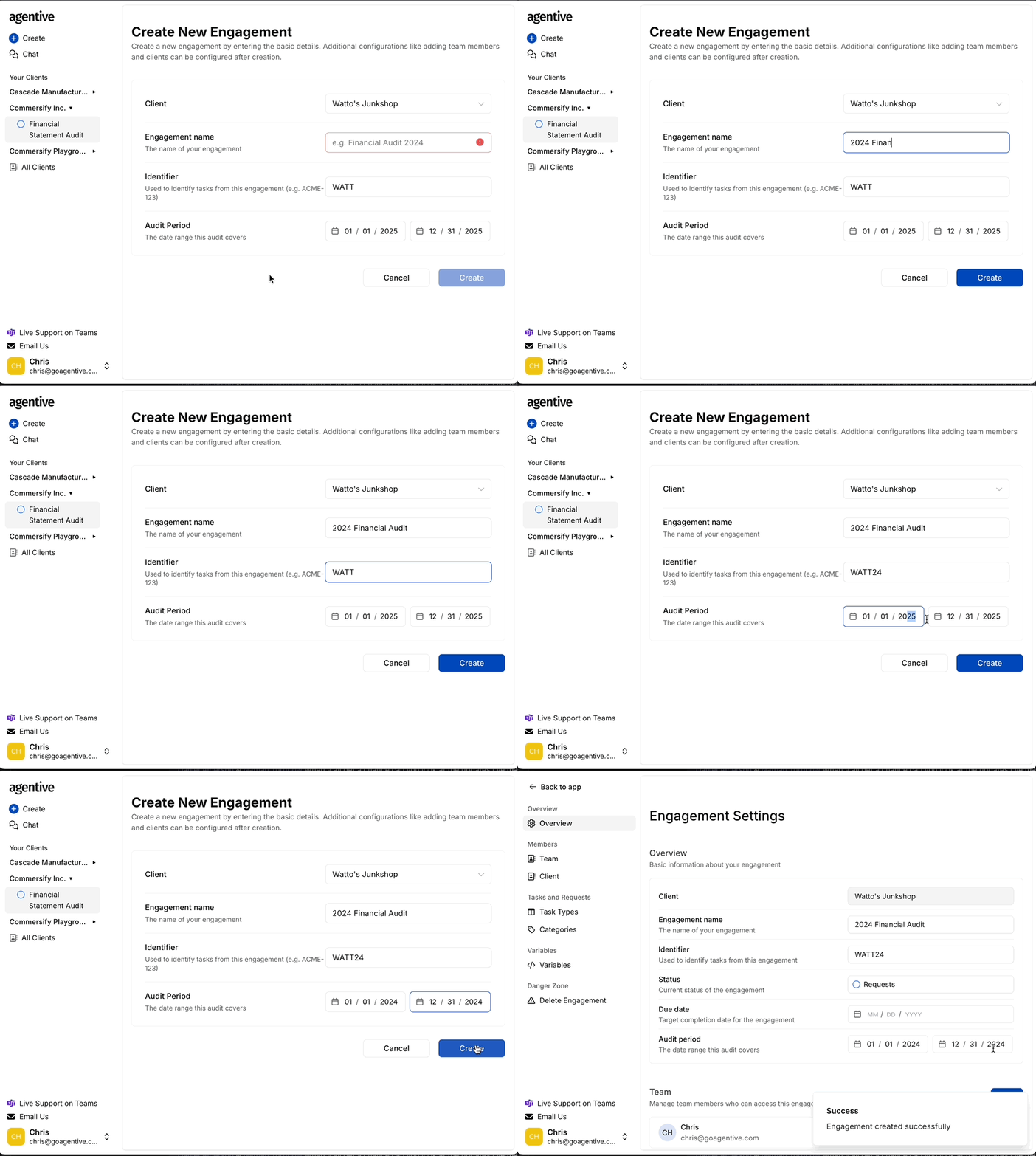
After creating a client, you will be prompted to set up your first engagement.
-
Engagement Name: Provide a descriptive title (e.g., Financial Statement Audit 2024).
-
Identifier: Enter a unique short-code prefix (e.g.,
MAR). This prefix will be used for all task and request numbers. -
Audit Period: Select the date range the audit covers.
-
Create: Click Create to save the engagement and move to the configuration settings.
Engagement Overview
Once joined, active engagements appear in your sidebar. Each engagement includes the following core components:
-
Requests: For requesting files and supporting information from clients.
-
Timelines: To track the progress of work and completion of requests.
-
Categories: To organize requests by areas (e.g., Revenue, Payroll).
-
Tasks (must be enabled in the engagement settings): For internal engagement work that is not visible to clients.