Accessing Engagement Settings
You can modify an engagement’s details at any time through the settings menu.
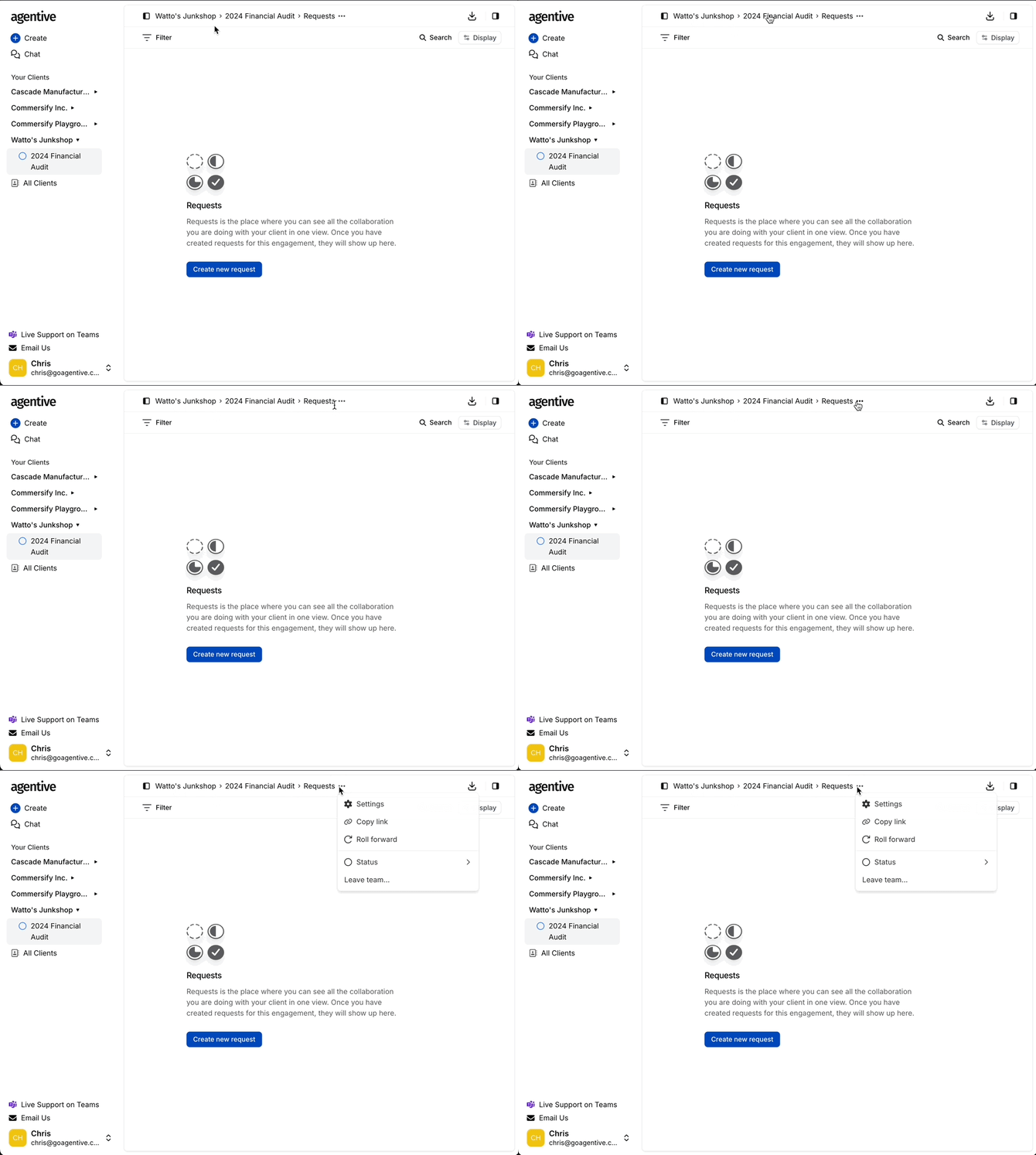
To access settings:
-
Sidebar: Hover over the engagement name, click the three-dot menu (...), and select Settings.
-
Breadcrumbs: Click the three-dot menu at the far right of the top breadcrumb trail.
-
Client List: Select Settings from the actions menu in the client engagements table.
Configurable Fields
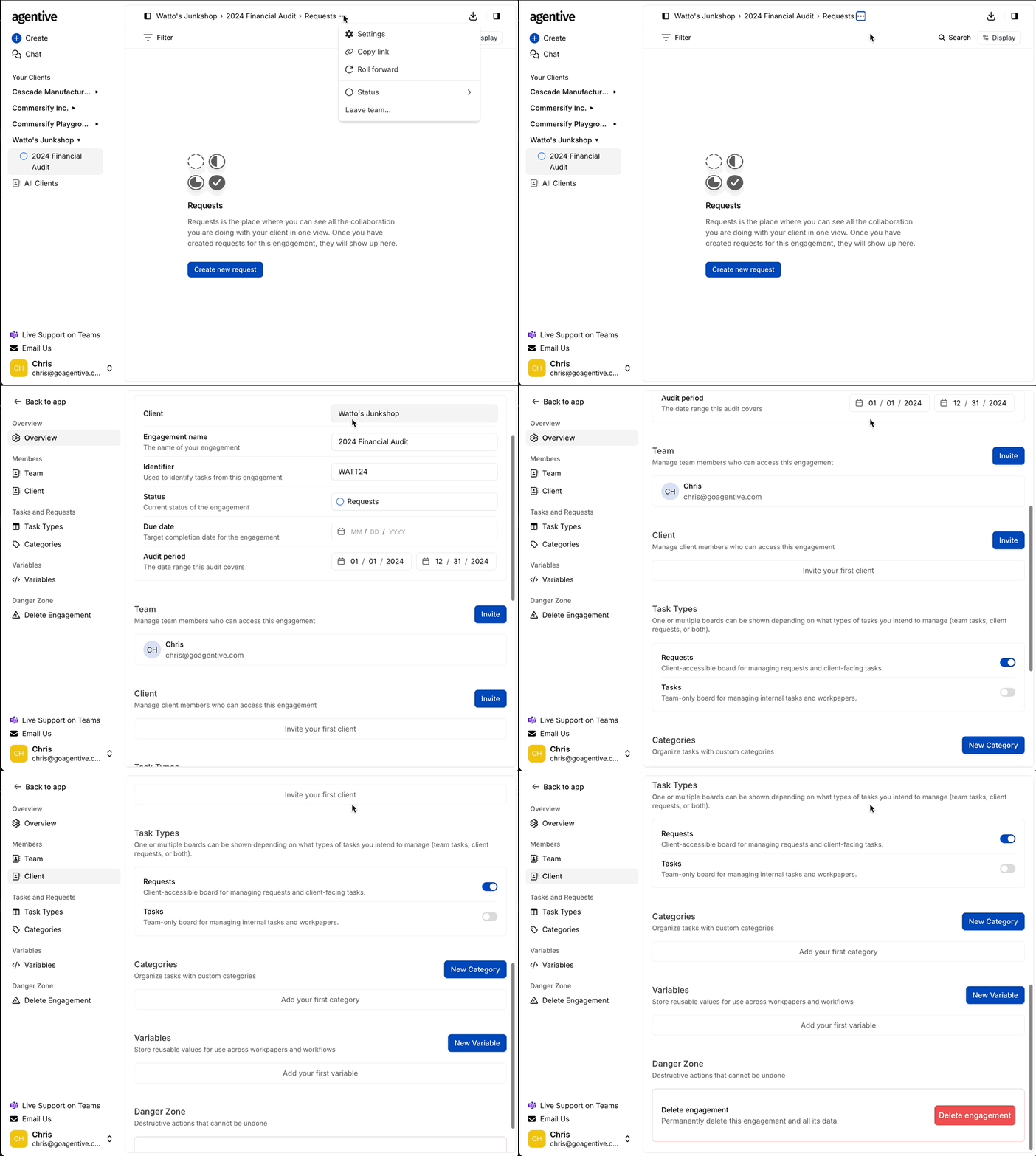
-
Engagement Name: Update the descriptive title.
-
Identifier: Modify the short-code prefix.
-
Status: Update the current state of the engagement.
-
Due Date & Audit Period: Adjust the timeline and coverage dates.
Categories
Organize your requests into specific audit areas.
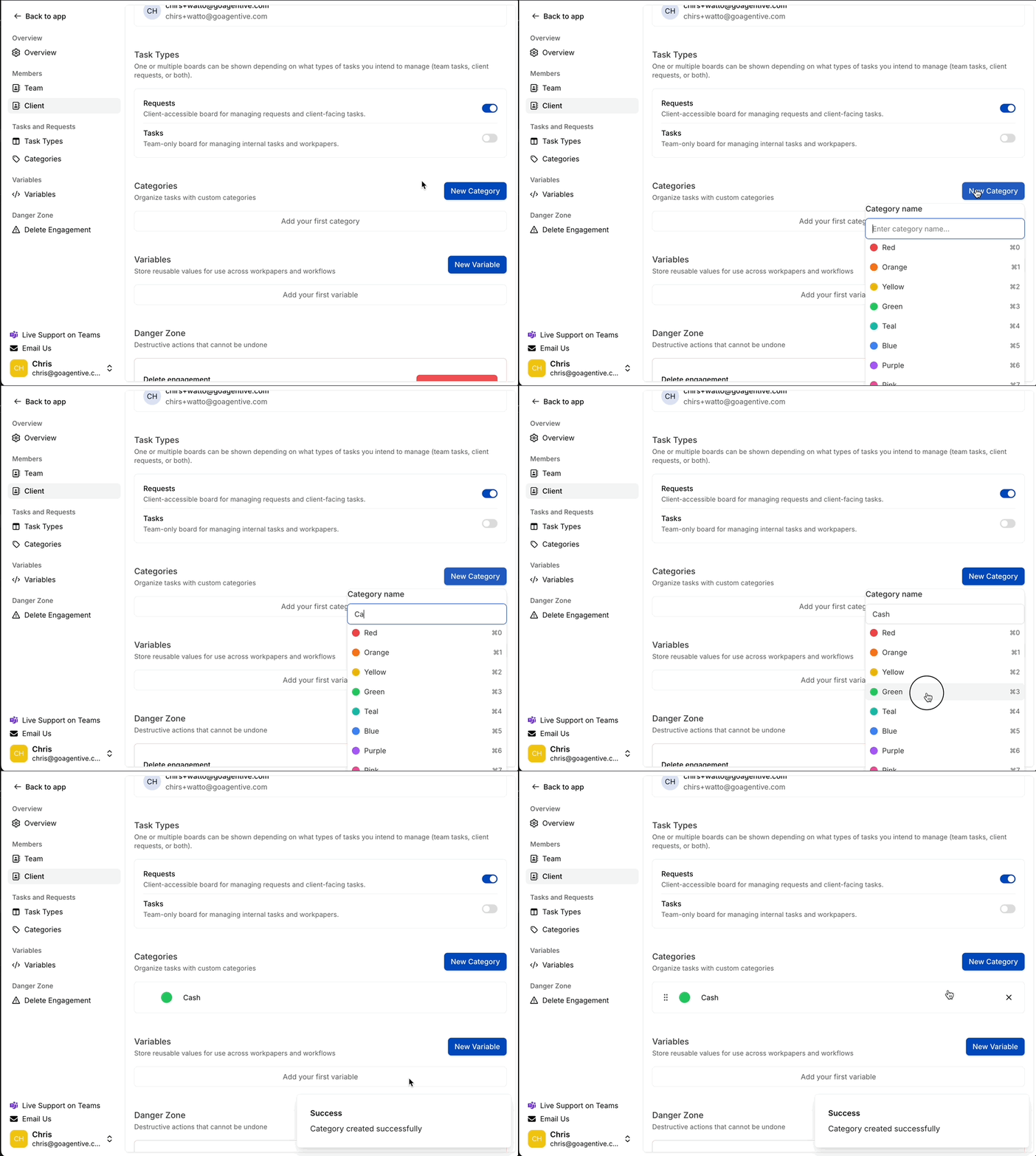
-
Click the New Category button.
-
Enter the category name and select a display color.
Variables
Variables are engagement-specific and are inherited by all requests and workpapers within that engagement.
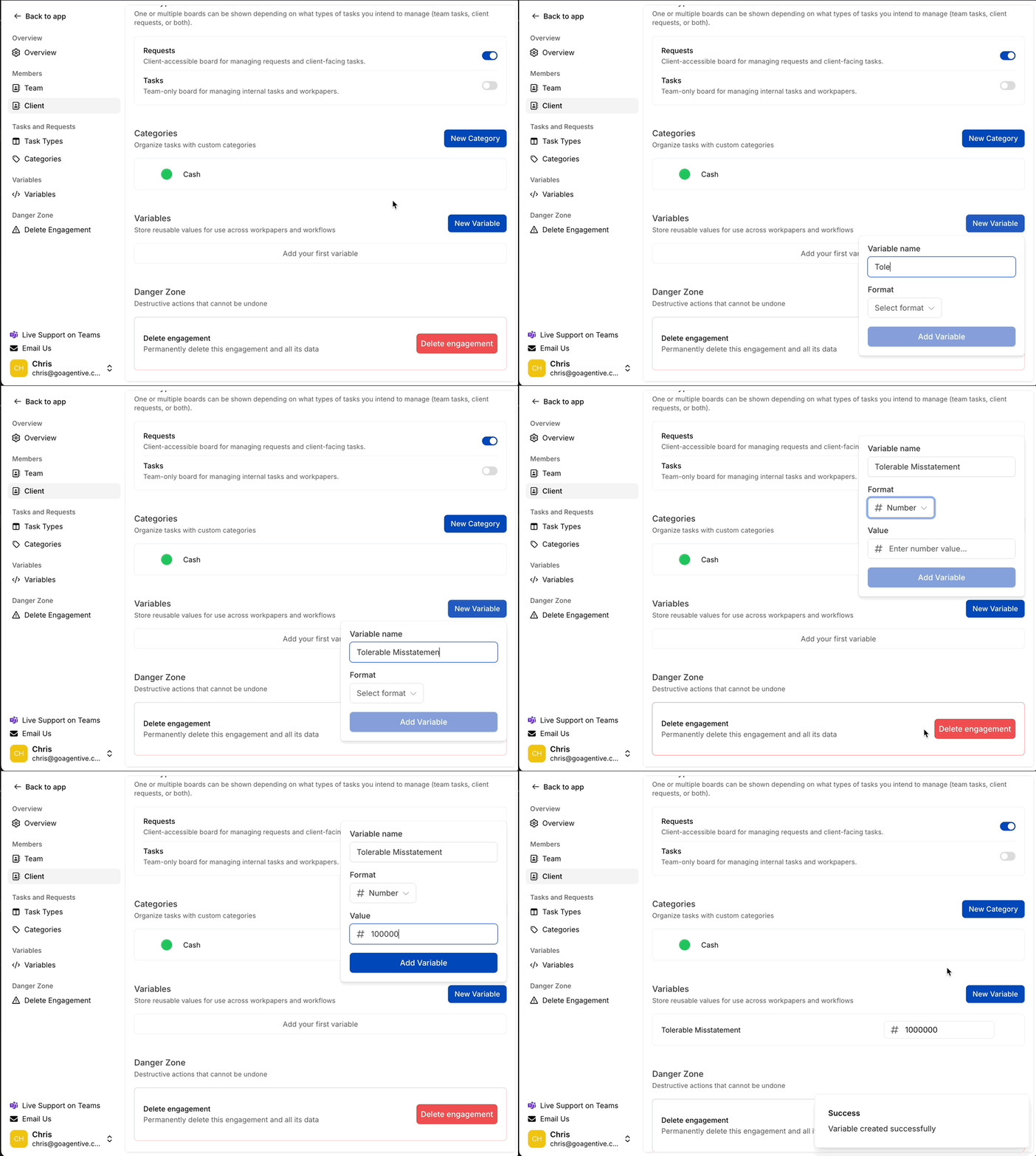
-
Click the New Variable button.
-
Enter the name and select the format (Text, Date, or Number).
-
Enter the value and select Add Variable.