Use the Invite button within the engagement to manage access for both your firm and your clients.
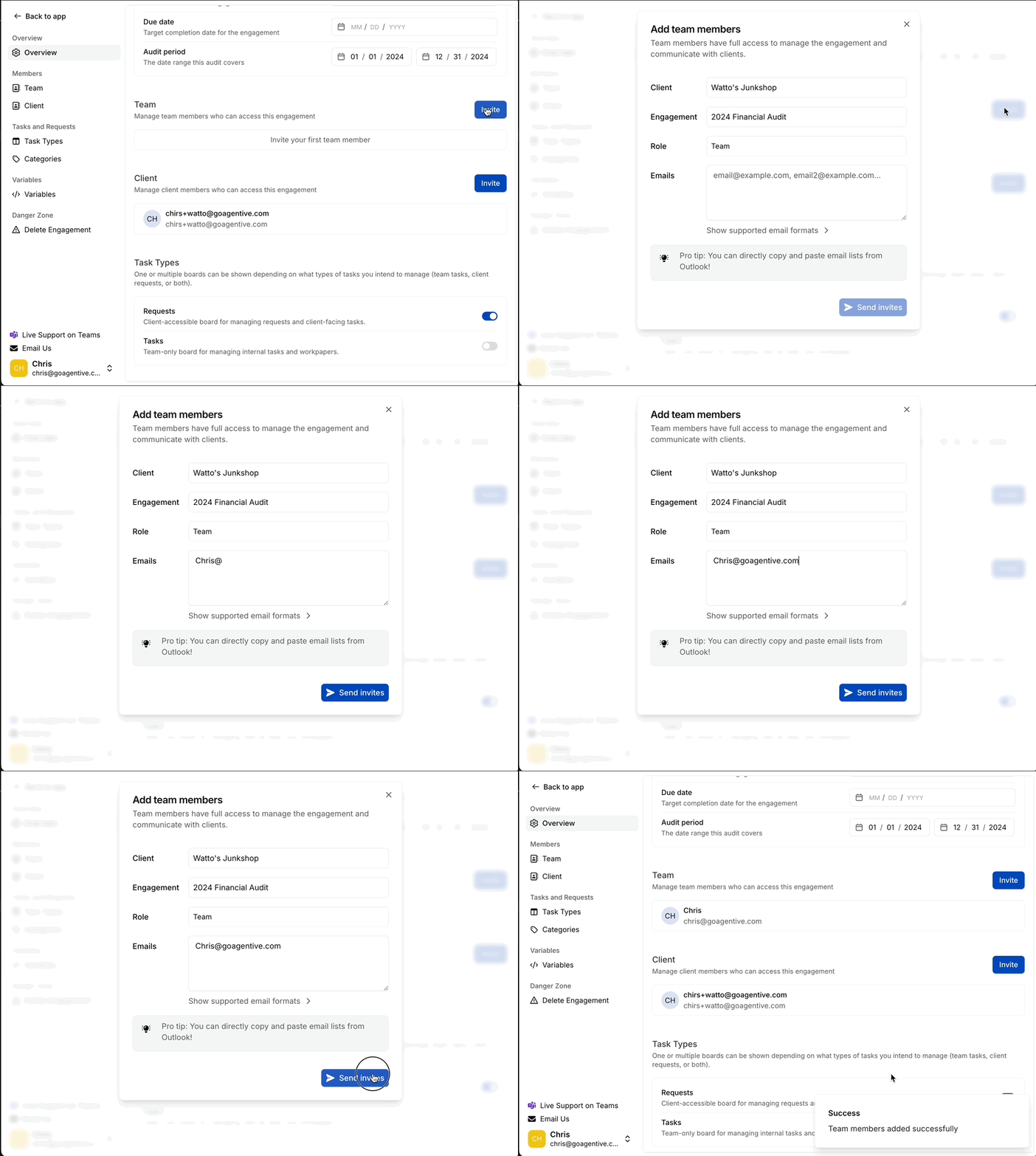
Adding Members
-
Team Section: Invite users from within your firm.
-
Client Section: Invite client-side contacts to complete requests.
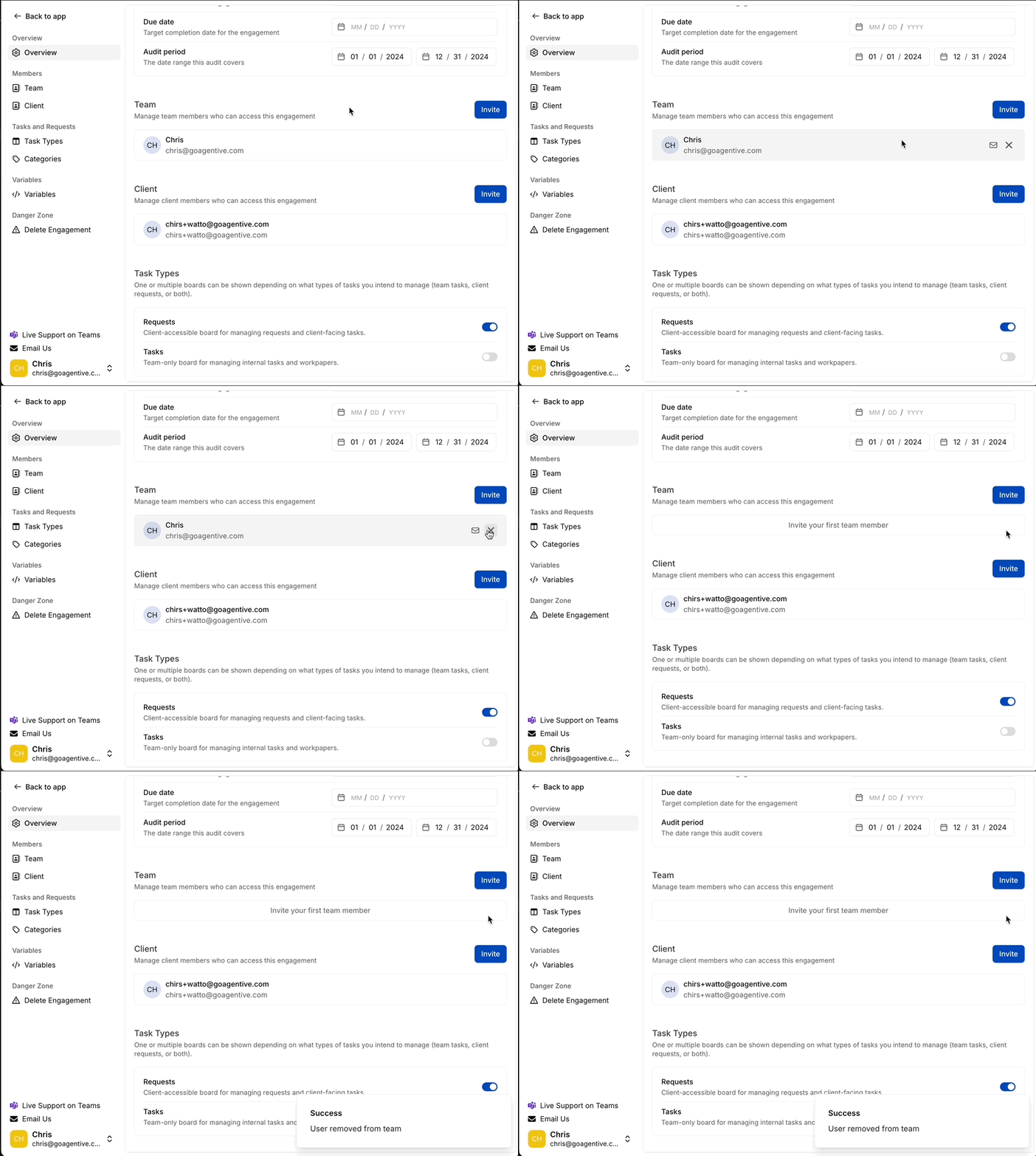
Removing Members
-
To remove a member, hover over their name and click the X icon.